
Release Notes - 12/5/2025
Handoff Acknowledgment Messages
When a conversation gets escalated to your team, VenueAI now gives you the option to automatically send a quick message letting the lead know someone will follow up.
How It Works
- A lead sends a message that needs human attention
- VenueAI escalates it to your team
- If enabled, an acknowledgment message is sent to the lead
- Your team responds when ready
The message goes out on the same channel the lead used — text for text, email for email.
Setting It Up
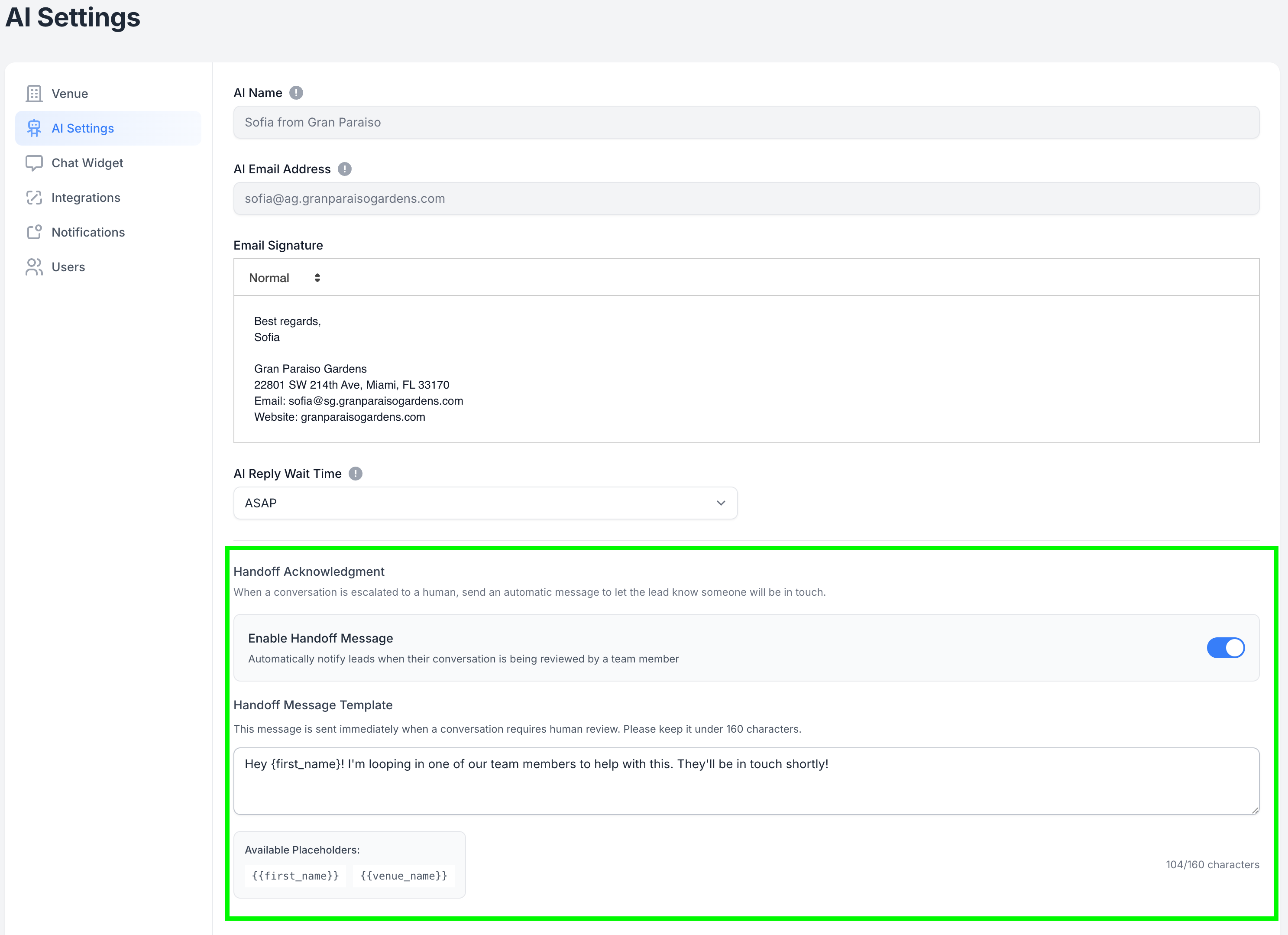
- Go to Settings → AI Settings
- Scroll to Handoff Acknowledgment
- Toggle it on
- Customize your message or use the default
- Save
Customizing Your Message
Use these placeholders to personalize:
{first_name}— The lead's first name{venue_name}— Your venue's name
Example:
Hey {first_name}! I'm looping in one of our team members to help with this. They'll be in touch shortly!
Keep it under 160 characters for SMS.
Questions? Reach out to our team anytime.
See our other release notes here: https://help.venueai.com/collection/164-release-notes