
Release Notes - 12/4/2025
Here’s a quick overview of what’s new in VenueAI:
- Merging of leads — Combine two leads who came in with different emails or phone numbers.
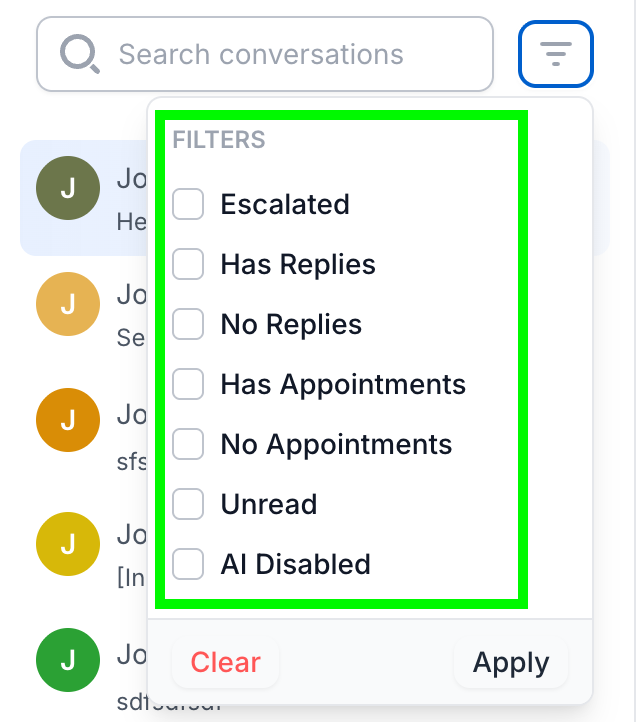
- New Conversation filters — Filter conversations with our all new selection of filters.
Merging Leads
You can now navigate inside of the leads page and merge one lead with another.
- Find the lead you want to merge into another and click into its profile.
- Click on the vertical dot menu and Click on "Merge lead"
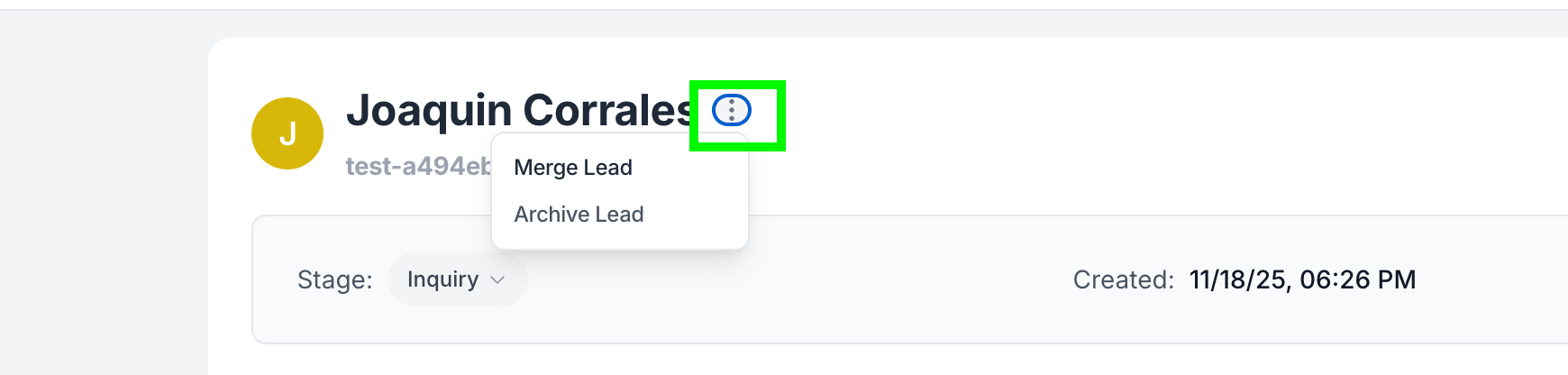
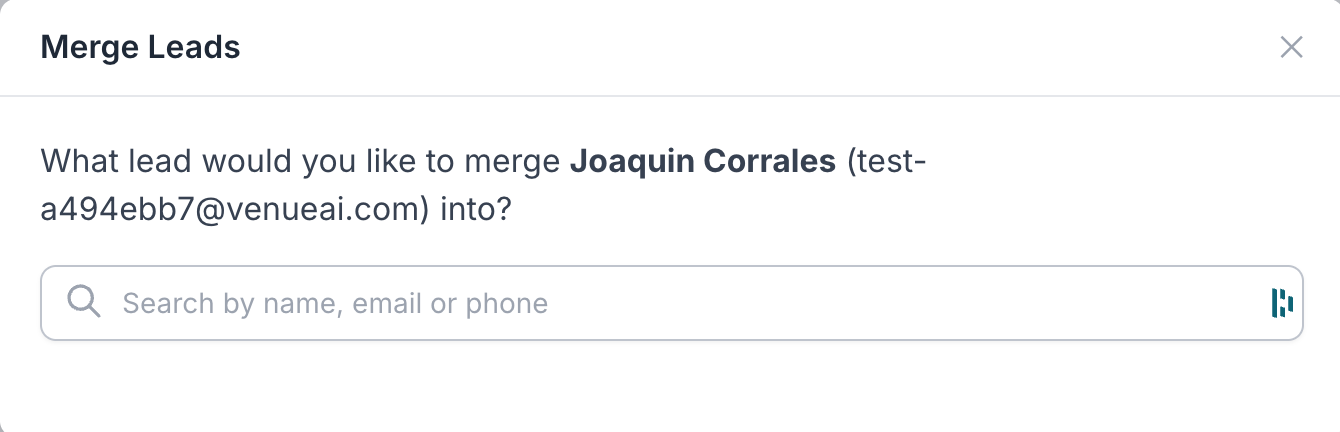
- Browse. for the lead that you want to merge this lead into. Merging will combine field values, appointments, conversations, and lead activity.
- If there are conflicting fields, you will be able to see them and select which leads fields you would like to keep in the merged lead. You can click on the left lead or the right lead to select which fields will be kept.
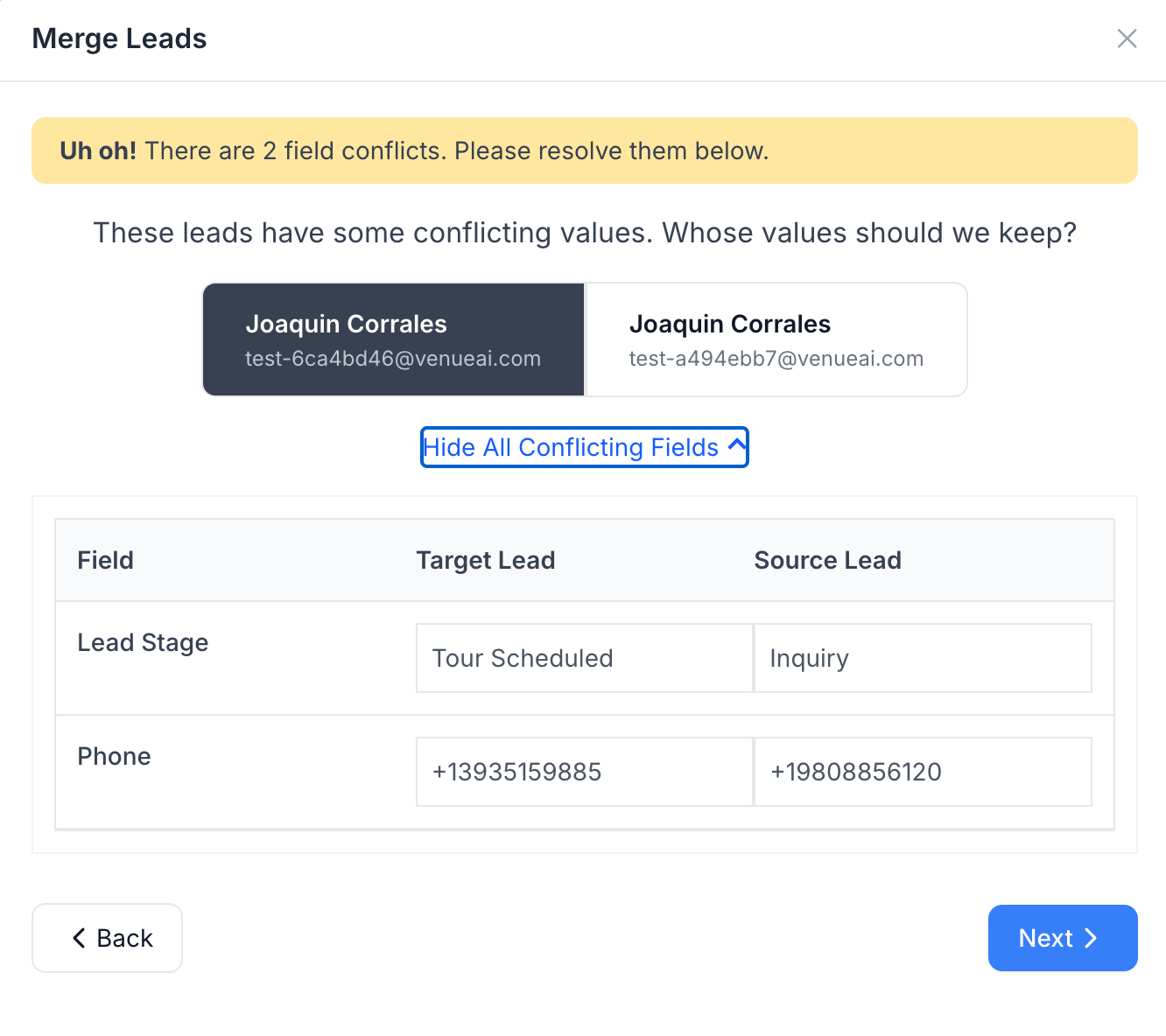
- Press Next + Merge and the two leads will be merged!
New Conversation Filters
Some of our amazing venues asked us for additional filters in the conversations page.
In addition to our already existing filter set, you can now filter for conversations without replies, with appointments and without appointments.
That is all for now! Have any suggestions for our team? Please email us at hello@venueai.com and we would love to see how quickly we can add your suggestions.